
Art Specifications
Our press-ready art sheet — accepted file types, colour space, bleed, safe zone and barcodes, on one page.
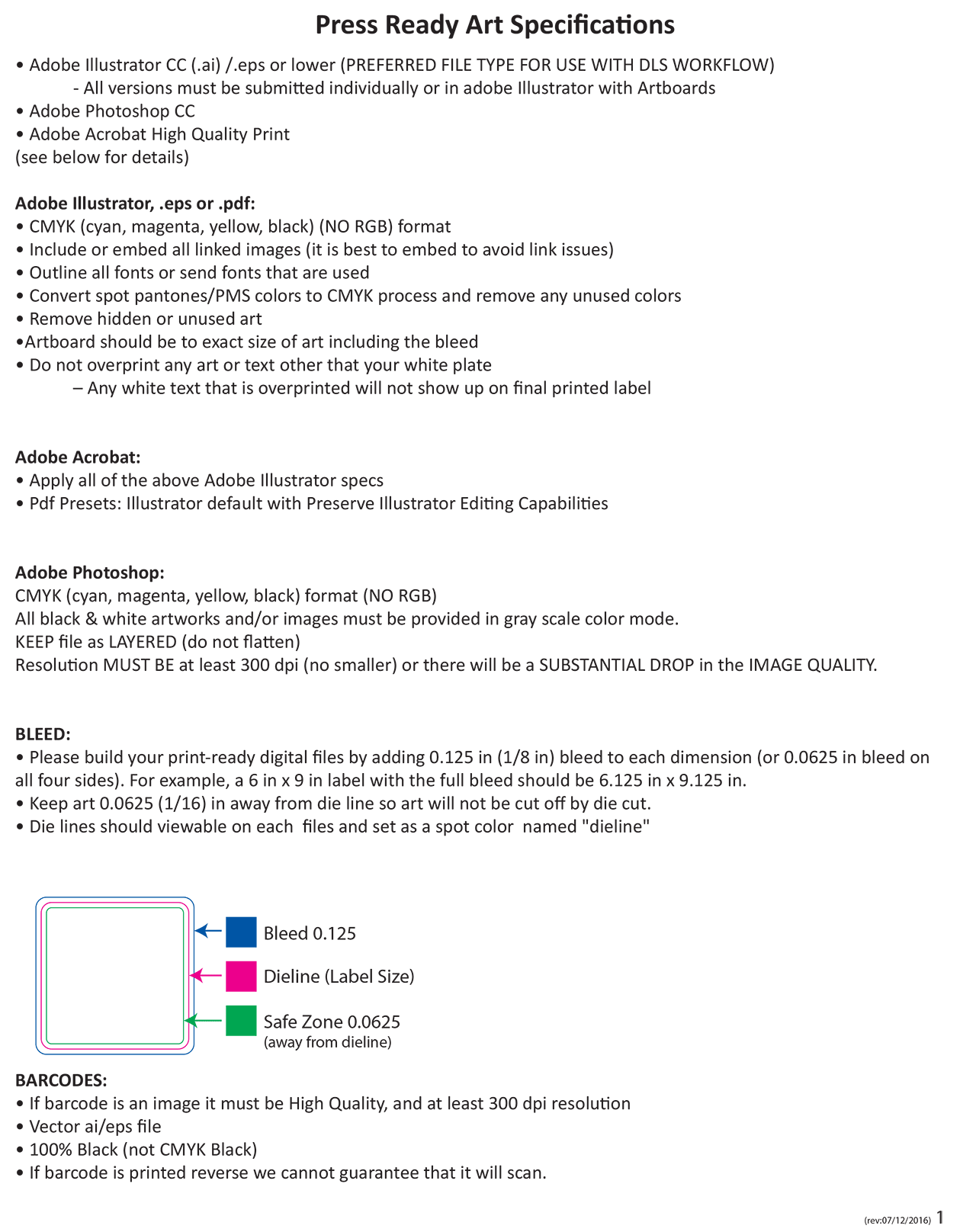
The sheet below is what our pre-press desk works to. It lists the three file types we accept — Adobe Illustrator (.ai/.eps) first, because it is what our workflow is built on, then layered Photoshop, then a high-quality-print PDF — and what each of them has to have set before it reaches the press. Multi-version jobs come as separate files or as artboards in one Illustrator document, never stacked on top of each other in a single artboard.
Whatever the format, three rules do the most work. Build in CMYK, never RGB: RGB converts on the way to plate and the colour you approved on screen is not the colour that prints. Outline your fonts or send them with the file, and embed every linked image — a missing link or a substituted typeface is the single most common reason a job stops. Anything raster must be at least 300 dpi at final size; below that the drop in quality is plainly visible on a small label.
The bottom half of the sheet is the geometry, and it is the part worth memorising: add 0.125" of bleed to each dimension (0.0625" on all four sides), so a 6 × 9 label is built at 6.125 × 9.125; keep all live copy 0.0625" inside the die line so nothing is trimmed off in the safe zone; and supply the die line itself as a visible spot colour named “dieline” on its own layer. Barcodes are vector where possible, 100% black rather than a four-colour black, and never reversed out — a reverse barcode is the one thing we cannot guarantee will scan.
For the same requirements as a working checklist, see digital print file requirements; for Pantone references, the PMS vault. Not sure whether your file passes? Send it over and we will pre-flight it and tell you what needs changing before you are charged for anything.